
NVMe firmware maintenance: track download, slot selection and active revision separately
Plan NVMe firmware work around verified device identity, slot capabilities, activation requirements and workload recovery, with a rollback assessment before touching the device.
A firmware utility can report success while the controller continues running its previous revision. The image may have been transferred or committed for a later activation event. Until the active revision is read back through the intended lifecycle, the update’s operational state remains incomplete.
Treat firmware maintenance as a sequence of explicit states. Identify the device, qualify the image, establish the impact boundary, transfer and commit through the supported procedure, activate as required, and verify the resulting storage service. Keep the evidence for each step rather than collapsing the sequence into one green status.
This discussion uses the established nvme-cli 2.11 command model. It does not provide a generic write command to run against an arbitrary drive. Slot capabilities, action support and required activation events depend on the device, firmware and platform.
Verify the target and the supported image
Record controller and subsystem identity, model, serial number, active firmware and the namespaces served through it. Match the device to its physical slot or remote storage-service role where appropriate.
Obtain the firmware through the supported vendor or OEM channel and check its model, revision and platform requirements. Similar product names do not establish that two images are interchangeable. Retain the artifact identity and the release notes with the maintenance record.
Use the controller and namespace inventory process to reconcile the target immediately before the change. A controller reset or subsystem activation can affect more than the one namespace whose mount point prompted the maintenance request.
Read slot capabilities and the current state
Read-only observations can include:
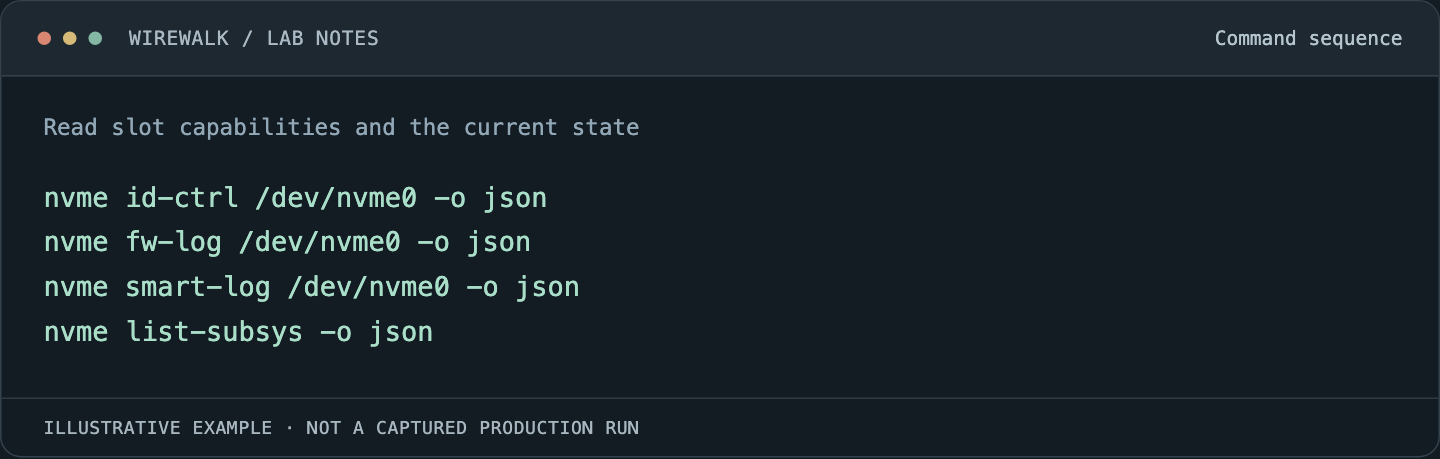
Read and copy the example as text
nvme id-ctrl /dev/nvme0 -o json
nvme fw-log /dev/nvme0 -o json
nvme smart-log /dev/nvme0 -o json
nvme list-subsys -o json
The path is illustrative. Save output with identity and timestamps, using the installed tool’s supported fields. The firmware-slot log reference describes the retrieval interface; interpret the returned capabilities using the controller and vendor documentation.
Determine the available slots, any read-only slot restriction, the active slot and any reported pending activation. Do not assume that an apparently empty slot is a guaranteed fallback location, or that the previous image can be activated after the new one changes persistent internal state.
Define the maintenance boundary before the transfer
List every consumer of the affected controller or subsystem. Include filesystems, volume layers, raw-block users, virtual machines and other attached hosts. Resolve whether the device hosts the operating system, local scratch or shared research data.
For a cluster, stop new allocations through the normal maintenance process and reach an agreed boundary for existing work. Flush and close application outputs according to the application’s durability protocol. A job leaving the queue does not by itself establish that every external consumer has stopped using the resource.
If another path will carry traffic, verify that it survives the specific activation event. Multiple paths through one shared controller or subsystem can fail together. A claim of non-disruptive activation must come from supported capabilities and a qualified service test, not merely the number of paths in an inventory.
Keep the update states in the record
The pinned Firmware Commit manual distinguishes committing an image and selecting activation behavior. Interpret its result together with the vendor’s requirements.
| State | Evidence to retain |
|---|---|
| Image qualified | Exact artifact, model match, release requirements and supported procedure |
| Image transferred | Tool result associated with the verified target and artifact |
| Commit accepted | Selected slot/action and returned status, including activation requirements |
| Activation event completed | Supported reset or power lifecycle, timestamps and observed impact |
| New revision active | Identify Controller and firmware-slot readback after activation |
| Service admitted | Identity, namespaces, data checks and representative workload outcome |
A successful transfer does not establish the later states. Nor does a reset prove that the intended revision became active. Avoid building automation that marks the entire operation successful when only its first administrative command returned zero.
Use the required activation event, not a guessed equivalent
The device can require a particular controller or subsystem reset or another supported power lifecycle. An operating-system reboot, a controller reset and removing power are different events; do not treat them as interchangeable without the platform’s documentation.
Use the supported management path and preserve out-of-band access when a boot device or management dependency is involved. Record whether the service is expected to disappear temporarily and how the host should rediscover it.
Keep routine reset loops out of the procedure. If the new revision does not activate as expected, retain the status and investigate the unmet requirement. Repeating disruptive actions can erase useful timing evidence and repeatedly affect the same consumers.
Assess rollback before relying on it
Some devices and revisions restrict downgrades or require a vendor-specific recovery process. A previous firmware slot is useful evidence, but not proof that returning to it will restore all prior behavior.
Document the supported rollback or replacement path, access requirements, expected data impact and decision owner. If recovery requires replacing a boot device or rebuilding a storage member, include that work in the maintenance plan rather than calling it an immediate rollback.
Keep research-data recovery independent of firmware recovery. A successful downgrade cannot repair every application artifact that was incomplete when service stopped. Verify recoverable checkpoints or equivalent outputs before maintenance where the workload requires them.
Reconcile the whole service after activation
Read back active revision and device identity. Confirm expected namespaces, block formats, attachments and host-visible storage layers. Recheck logs for new media, integrity, reset or transport symptoms.
Use a bounded create/write/read/verify cycle in an authorized filesystem test location, then run the representative application path. For GPU pipelines, confirm that the expected storage interface and supported direct or fallback mode still work; a raw device inventory cannot establish that integration.
Compare latency and completion behavior with the saved baseline under comparable load. Include reconnect behavior and ordinary cleanup, especially when multipath or remote storage participates in the service.
Roll out by qualified hardware and role
Start with a canary that represents the target model, firmware branch and service role. A local scratch drive and a shared storage device can require different acceptance criteria even if their model strings match.
Expand only after the defined evidence is clean. Track actual active revisions across the population so a partly activated rollout does not appear complete. Keep devices with unresolved status outside ordinary admission until their state is understood.
For interpreting the before-and-after logs, see NVMe health and error analysis. For the path behavior that can determine maintenance impact, see NVMe multipath validation.