
BeeGFS buddy recovery: verify the surviving copy before resynchronizing
Set up a BeeGFS mirror canary, distinguish reachability from consistency, and qualify recovery through target identity, resync scope and application-level data checks.
A BeeGFS server returns after a storage failure and becomes reachable again. That is a useful milestone, but it leaves an important question unanswered: does the returning target contain the data the filesystem expects it to contain?
The answer determines how recovery should proceed. A briefly disconnected secondary and an empty replacement filesystem can need very different resynchronization scopes, even when they reuse the same target identity.
This guide uses BeeGFS 7.4.5 documentation and its beegfs-ctl interface as a fixed baseline. Match the procedure to the installed release. The examples describe a qualified test namespace and generic target identities; they are not a repair script for a live research filesystem.
Before adopting this older baseline, review its release notes. They identify RoCE client issues on RHEL 9.4 and Ubuntu 24.04. Qualify the operating system, client kernel and RDMA stack before a recovery exercise; a client-path failure can otherwise be mistaken for a server-mirroring problem.
Record buddy relationships and physical failure domains
Maintain an inventory of management service, metadata nodes, storage services, target IDs and buddy-group membership. Join each target to its backing filesystem, mount source, host and physical failure domain.
A target ID identifies a BeeGFS object; it does not prove that the expected backing volume is mounted. Verify both before allowing a rebuilt service to participate. A missing mount can leave an empty local directory at the configured path, creating a particularly misleading appearance of recovery.
Plan buddies across the failures the service is meant to tolerate. Two targets on different hosts may still share a storage enclosure, power feed or network dependency. The 7.4.5 mirroring guide notes that automatic buddy-group creation does not understand the site’s physical topology. Review the resulting layout rather than treating automatic pairing as a resilience assessment.
Keep metadata and storage protection explicit. Configuring one does not establish the intended protection for the other, and the management service’s dependencies belong in the recovery plan too.
Qualify mirroring in an isolated namespace
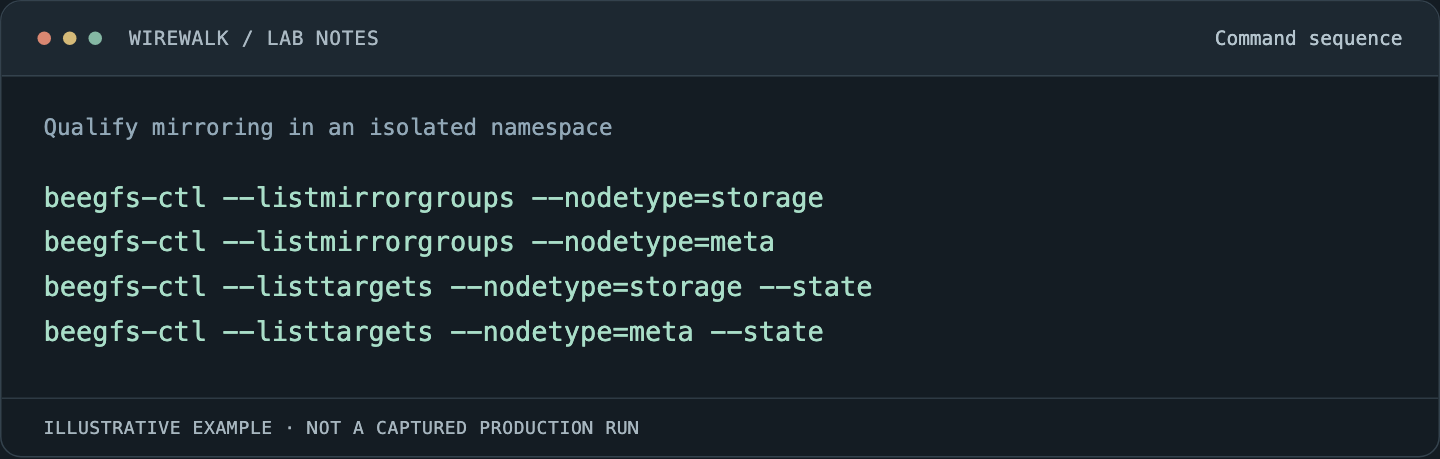
Begin with a small, approved canary that has known eligible buddy groups and enough capacity for both copies. Record the group layout before creating test data:
Read and copy the example as text
beegfs-ctl --listmirrorgroups --nodetype=storage
beegfs-ctl --listmirrorgroups --nodetype=meta
beegfs-ctl --listtargets --nodetype=storage --state
beegfs-ctl --listtargets --nodetype=meta --state
For a new test directory whose placement has been deliberately scoped, a pattern example is:
beegfs-ctl --setpattern --numtargets=1 --chunksize=1M \
  --pattern=buddymirror /mnt/example-beegfs/qualification
That command changes a directory’s policy. The path must be replaced with the approved test directory, and the eligible group placement must already be understood. A count of one requests one buddy group for the stripe pattern; it does not select a particular group ID.
The striping reference explains that directory pattern changes apply to newly created files. Existing files are not converted merely because their parent now has a different policy. Verify a test file’s actual entry information and placement with --getentryinfo before using it in a failure exercise.
Create representative small files, larger sequential files and an application checkpoint in the canary. Retain a manifest of sizes and checksums outside the failure being tested. Include metadata operations such as rename and directory traversal so the test covers more than a large-file read.
Read reachability and consistency together
BeeGFS target states separate whether a target is reachable from whether its data is considered consistent. Online status therefore needs to be read alongside Good, Needs resync, Resyncing or Bad state.
Preserve the state of both buddies and the timing of changes. A dashboard that collapses these into a single green host indicator can conceal a degraded group or a returning target that still needs data.
When a target is missing, establish whether the service stopped, the network path failed, the underlying mount disappeared or the backing storage was lost. Those findings lead to different recovery actions. Repeatedly restarting a daemon does not distinguish them.
Keep the primary/secondary roles in the incident record as observed at each stage. Do not infer the current source of truth from a host’s usual role or its position in an inventory spreadsheet.
Choose resynchronization scope from the actual failure
The 7.4.5 resynchronization guide describes a timestamp-based storage resync that ordinarily transfers files modified since the last successful buddy communication, with a safety interval. Metadata resynchronization uses a different scope and sends the full mirrored metadata.
A returning target that lost older contents needs more than a recent-change resync. Examples include an empty replacement backing filesystem or repair of the local filesystem that removed old files. Preserve that history explicitly; the reused target ID cannot communicate it on its own.
Use the installed --startresync help and the matched release procedure to determine the required full or partial operation. Do not issue a manual state change simply to make a dashboard look healthy. Establish the surviving copy, correct backing volume and affected client access first.
The mirroring documentation describes propagation hazards when changing active target states. During that interval, clients can hold different views of which copy is usable. Plan access restriction or an appropriate maintenance boundary through the supported procedure before forcing transitions on targets still serving work.
Watch recovery progress and its impact on research
Use the release’s --resyncstats interface, selecting the intended target or metadata service according to its installed help. Preserve logs on both buddies alongside the reported state and progress.
Measure whether recovery advances over a defined interval. A running process or an unchanged progress display is insufficient evidence. Investigate read errors on the source, write errors on the destination, network interruption, capacity exhaustion and stalled underlying storage before restarting the resync repeatedly.
Record the competing workload. Recovery traffic can change storage latency and network demand for active research. Compare application progress and checkpoint duration with the recovery interval, and keep the agreed operating limits visible to the team.
| Observation | Next evidence to collect |
|---|---|
| Returning target is reachable but inconsistent | Buddy roles, resync state and backing-volume identity |
| Recent-change recovery completes after backing data loss | Whether a full resync was required and actually performed |
| Recovery stops advancing | Source/destination logs, storage errors, free capacity and fabric counters |
| Applications stall during recovery | Client waits, metadata latency, storage load and shared-network demand |
| State looks good but a file differs | Actual file placement, checksum manifest and application-level validation |
Avoid calculating an exact completion time from one short burst. The remaining work can have a different file-size mix, metadata cost or contention level. Report the measured interval and the uncertainty.
Validate content and application recovery
After the supported recovery process completes, inspect both target state and the test dataset. Compare the retained manifest and checksums, test metadata operations, and confirm that the intended files are still mirrored.
Then restart the checkpointed canary and verify that it reaches a useful application step. A complete read of one unrelated file does not establish that the checkpoint the researchers need is usable.
Test failure and restoration in a controlled sequence, one failure domain at a time. Do not use a second target outage as an informal experiment while a buddy group remains degraded. Record which protection has been restored before considering another maintenance event.
For the data-checking method, see large-transfer checksum validation. For application state, use checkpoint storage and restart testing.
Keep mirroring and backup as separate recovery tools
Mirroring follows changes, including unwanted deletion or overwrite. Retain independent backup and restore procedures for the data and metadata the research service needs. A successful buddy recovery does not demonstrate historical-data recovery.
Keep configuration, target identities, backing-volume inventory and the validated recovery sequence together. Rehearse after significant changes to filesystem layout, server images or storage hardware.
The final acceptance record should identify the surviving source, resync scope, restored consistency, checked dataset and application outcome. That is what makes the next recovery understandable when the returning server’s status says only Online.