
Advanced Slurm setup: prove CPU, memory and GPU isolation before admitting jobs
Build a Slurm admission test around CPU placement, memory enforcement, GPU device access and process cleanup, then carry that evidence through image and driver changes.
Before opening a new Slurm node to users, run two small jobs beside each other and check what each can access. Correct allocation records will not protect a researcher if the operating system lets a neighboring job use the same CPUs, memory or GPUs.
Follow the running task into its cgroups and inspect the devices it can open. That connects the scheduler’s allocation to what is enforced on the node, including cleanup when the job ends.
The configuration fragments below assume Linux with cgroup v2 and whole NVIDIA GPUs. They need site-specific review before use. Test MIG, GPU sharing, SSH adoption and each container runtime separately against the deployed release.
Separate selection, enforcement and accounting
Treat these as three questions. What does Slurm reserve? What can a task consume? What does the site measure afterward? A sensible answer to one does not establish the other two.
For a site using consumable trackable resources, the conceptual configuration might include:
# Illustrative slurm.conf fragments; review with the installed release.
SelectType=select/cons_tres
SelectTypeParameters=CR_Core_Memory
ProctrackType=proctrack/cgroup
TaskPlugin=task/affinity,task/cgroup
JobAcctGatherType=jobacct_gather/cgroup
GresTypes=gpu
The corresponding enforcement intent might be:
# Illustrative cgroup.conf fragments, not a drop-in migration file.
CgroupPlugin=autodetect
ConstrainCores=yes
ConstrainRAMSpace=yes
ConstrainDevices=yes
Read the installed cgroup.conf reference before choosing values, especially memory and swap policy. An administrator must reserve enough memory for the operating system and node services rather than advertise every physical byte to jobs. Review whether a limit applies to the job, a step or both before designing a test around it.
Establish what the node actually booted
Start with a drained canary and record its kernel, systemd, Slurm, driver and image identifiers. An image inventory is incomplete if the booted kernel differs from the one used to build the software stack.
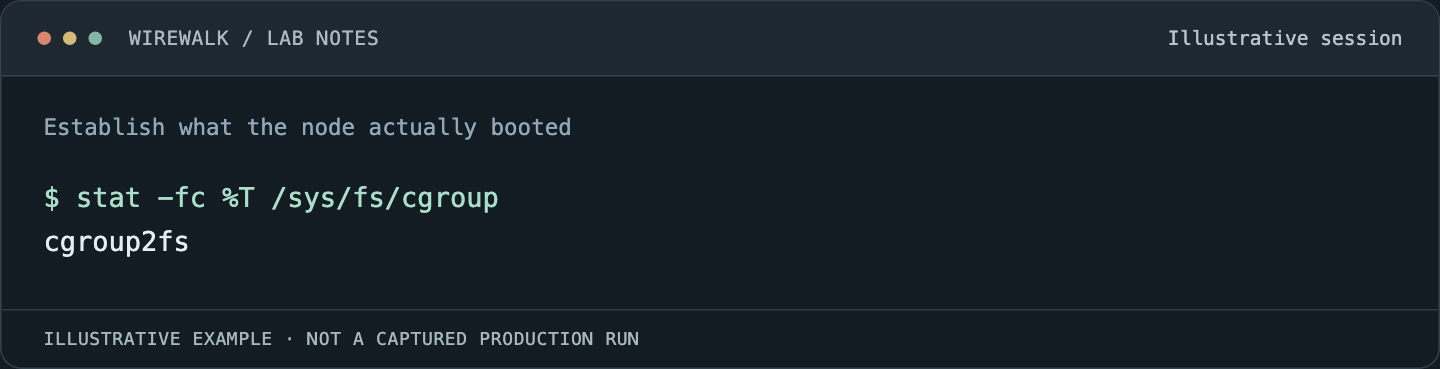
Read the illustrated session as text
$ stat -fc %T /sys/fs/cgroup
cgroup2fs
Read and copy the original commands
uname -r
slurmd -V
stat -fc %T /sys/fs/cgroup
cat /proc/self/cgroup
systemctl show slurmd -p Delegate -p ControlGroup
slurmd -C
slurmd -G
The last commands inspect discovered hardware and GPU configuration; they are not substitutes for running jobs. Compare their output with the controller’s node definition. Watch for CPU topology changes caused by firmware settings, missing GPU libraries and a driver that has not loaded.
Slurm’s cgroup v2 design documentation explains its relationship with systemd and controller delegation. Avoid repairing startup errors by manually building a competing cgroup hierarchy. That can make one launch work while leaving daemon restart and cleanup behavior inconsistent.
Test CPU placement with two allocations
Use two small, independent allocations on the canary. Have each report its assigned CPU mask and then run a bounded CPU workload. The test asks whether their permitted CPU sets match the site’s sharing policy.
Inside each allocation, a minimal observation step is:
srun --ntasks=1 --cpus-per-task=2 --cpu-bind=verbose bash -c '
  hostname
  grep Cpus_allowed_list /proc/self/status
  cat /proc/self/cgroup
'
Request memory explicitly in the enclosing allocation and retain both job IDs. Physical cores, hardware threads and logical CPU IDs are different descriptions of the machine. An apparently overlapping numbering scheme needs interpretation against the actual topology rather than an immediate configuration change.
After the simple case works, test the supported multithreaded application pattern. A task that receives two CPUs but starts dozens of OpenMP or numerical-library threads may remain confined and still perform badly. Set thread counts deliberately, then verify binding. Isolation prevents interference; it does not automatically choose an efficient process layout.
Prove memory behavior without damaging a shared node
A controlled memory test belongs in an isolated canary allocation with no unrelated users. Define the expected failure before running it: the workload exceeds its assigned memory budget, the appropriate job or step is terminated according to policy, and the node and neighboring services remain healthy.
Do not use an unbounded allocation loop copied from a troubleshooting forum. Use a reviewed test with a fixed maximum, a timeout and an allocation comfortably below physical capacity. Retain the job record, step record, kernel event time and relevant cgroup counters.
The result should distinguish a job-level memory limit from a node-wide OOM event. A node remaining responsive is useful evidence, but it does not by itself prove the job was killed by the intended controller. Accounting configuration also affects what memory statistics mean. Record the metric’s source instead of treating every field named RSS as interchangeable.
Test GPU access, not only an environment variable
For NVIDIA GPUs, compare the allocation, GPU UUIDs and the devices visible inside the task. Slurm’s GRES guide describes how allocation and CUDA visibility interact, including the possibility that device numbering differs inside a constrained job.
Within a GPU allocation:
srun --ntasks=1 bash -c '
  printf "CUDA_VISIBLE_DEVICES=%s\n" "${CUDA_VISIBLE_DEVICES-}"
  nvidia-smi --query-gpu=uuid,pci.bus_id,name --format=csv,noheader
'
Use UUIDs to reconcile identity. Seeing the requested GPU is only the positive test. A site-owned validation program should also establish that a job cannot use an unallocated GPU under the supported launch paths. Do not assume listing behavior and compute-access behavior are identical.
Repeat through each supported container runtime. A runtime hook, device bind or broad privileged execution path can change the access boundary. Test a CPU-only job as well: the absence of a GPU request should not silently grant access to every device on the host.
Include exit and cleanup in the contract
A well-behaved process ending normally is the easy case. Test cancellation, a failed step, a child process that outlives its parent and the site’s approved interactive access mechanism. After each case, check for remaining processes and allocated resources before admitting another job.
Do not equate the batch shell exiting with all descendants being gone. Equally, do not kill every process belonging to a user as a cleanup shortcut; that user may have another legitimate allocation on the same node. The cleanup boundary should follow the allocation’s ownership.
Record any SSH adoption policy separately. An interactive session outside the normal task-launch path needs its own evidence. A successful srun isolation test cannot prove what happens to a process started another way.
Carry the test through a lifecycle change
Keep the canary suite small enough to rerun after a driver update, a Slurm upgrade, a kernel change or a compute-image rebuild. Save expected outcomes with the configuration revision and actual results with the booted image identity.
The release gate should include a controlled reboot and readmission. Otherwise, the site has tested a live repair rather than the configuration that future nodes will receive. Rollback means restoring a known compatible image and configuration together, then rerunning the same admission checks.
Keep the passing results with the node image and Slurm configuration. When a later job interferes with its neighbor, repeat the relevant test against that baseline before changing the fleet.
Read next: Advanced Slurm job troubleshooting: memory, exit codes and missing evidence, NVIDIA containers under Slurm: operating Enroot and Pyxis as a supported service.