
NVMe controller and namespace management: identify the resource before changing it
Build an NVMe inventory that distinguishes controllers, namespaces, paths and filesystems, then use it to scope namespace changes and replacement work accurately.
A device name such as /dev/nvme0n1 is useful for issuing a command on the current host. It is not a durable description of which physical device, namespace and storage service the command will affect after a reboot or replacement.
Advanced NVMe management begins with that distinction. Before changing namespace layout, format or attachment, build an inventory that connects the NVMe object to its users and to the hardware or remote subsystem behind it. Otherwise a command can succeed against precisely the wrong resource.
The examples below use the documented nvme-cli 2.11 command family on Linux. Check the installed version’s help; newer releases can reorganize commands and output. Device paths are illustrative and must be resolved against the current inventory.
Separate the objects the operating system presents
An NVMe subsystem can contain controllers and namespaces. A controller provides an access path and administrative interface. A namespace presents logical blocks; its relationship to physical media depends on the implementation. Linux then builds additional layers such as partitions, encryption, volume management, RAID and filesystems above block devices.
The NVM Express namespace overview explains the distinction between logical address spaces and physical isolation. Creating two namespaces does not automatically provide two independent failure domains or guarantee that each receives a fixed share of performance.
Record the subsystem identity, controller, namespace identifier and supported persistent namespace identifiers together. Include serial number, model and firmware where relevant. Keep transport address and physical slot mapping as additional evidence, not as substitutes for the namespace identity.
Inventory from the top and the bottom
A read-only starting point is:
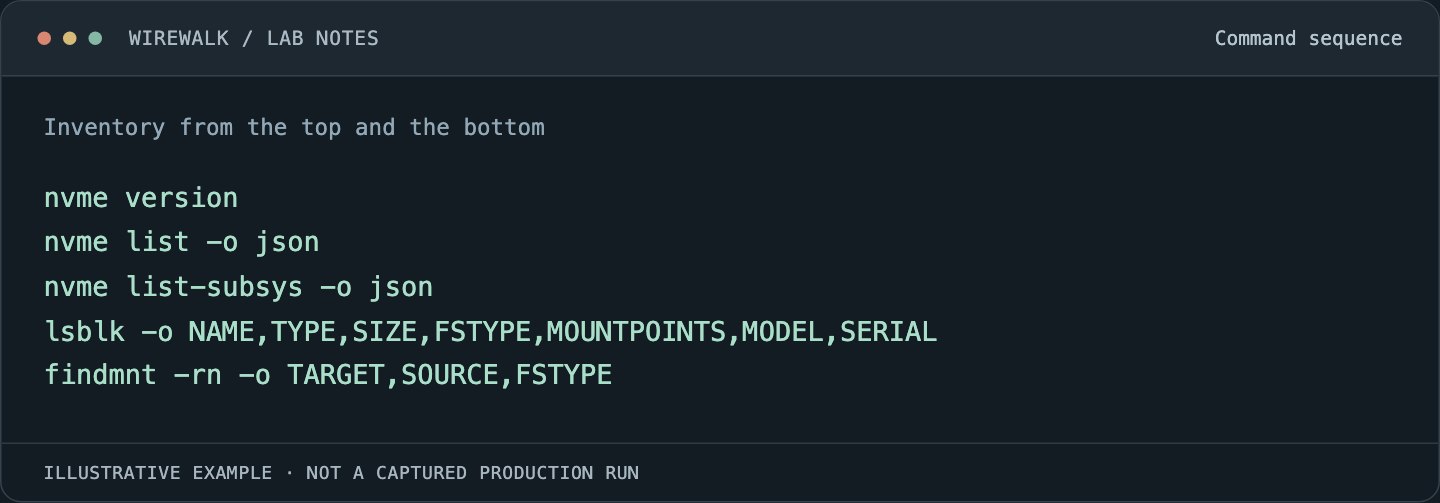
Read and copy the example as text
nvme version
nvme list -o json
nvme list-subsys -o json
lsblk -o NAME,TYPE,SIZE,FSTYPE,MOUNTPOINTS,MODEL,SERIAL
findmnt -rn -o TARGET,SOURCE,FSTYPE
Some fields depend on tool and distribution versions. Administrative permissions may be required for NVMe identify and log commands. Run only the observations allowed by the site’s operating policy.
Follow the intended filesystem down through its block-device dependencies. Then follow the intended NVMe namespace upward to every consumer. An unmounted filesystem does not prove the device is unused: a volume group, array, swap area, raw-block application or virtual machine may still depend on it.
For shared storage, obtain the consumer map from the storage service as well as the current host. One host’s process list cannot establish that a remotely attached namespace has no users elsewhere.
Read controller capabilities and namespace layout separately
For a verified controller and namespace, inspect:
nvme id-ctrl /dev/nvme0 -o json
nvme id-ns /dev/nvme0n1 -o json
The pinned Identify Controller and Identify Namespace manuals define the interface. When using a controller character device for Identify Namespace, specify the namespace ID as required by the tool. Do not assume that a controller-level query implicitly selects the namespace you intended.
Record namespace size, capacity and utilization with their units and support context. These values concern logical blocks and allocation at the NVMe layer; they are not interchangeable with a filesystem’s used-space report. A filesystem can retain allocated blocks that do not correspond to current application files, and lower-layer utilization reporting may depend on supported features.
Retain the active logical-block format and metadata/protection requirements. A capacity figure calculated with the wrong logical-block size is already unreliable before any management operation begins.
Use persistent identity without assuming every identifier exists
Check which namespace identifiers the device actually provides and whether they remain appropriate across the lifecycle being managed. An all-zero or missing field should not be promoted into a supposedly unique fleet key.
Where Linux exposes persistent device links, resolve them and compare the result with Identify data. Keep the raw identity and the resolved current device path in the operation record. Avoid scripts that select the first match to a model name shared by many drives.
Re-read identity immediately before a planned change. Discovery and execution may be separated by a reboot, reconnect or hardware replacement. A saved path from yesterday is not a sufficient target check for today’s operation.
If the identity evidence is contradictory, stop the change and resolve the mapping. That is a specific prerequisite, not a request to add a generic confirmation prompt to every read-only observation.
Describe the intended namespace change before choosing a command
Separate creating a namespace, attaching it to a controller, changing an active format and preparing a device for retirement. These are different lifecycle actions with different capability requirements and scopes.
Write down the desired namespace identity, capacity, block format, controller attachments and ownership. Check that the vendor supports the intended operation on the model and firmware. An administrative command exposed by nvme-cli is not evidence that every device implements it.
For a populated namespace, determine the migration or recovery plan before changing its structure. Namespace deletion, formatting and related operations can invalidate the data layout. Use the product’s supported procedure and an explicit consumer shutdown or migration boundary; do not improvise a sequence by combining successful commands from unrelated hardware examples.
Verify the resulting service, not just the identify response
After an approved change, re-enumerate the subsystem and namespace. Confirm expected attachments, identity, block format and capacity, then reconcile the Linux storage layers. A new block device appearing is only the first acceptance observation.
Validate permissions and a bounded write/read/verify cycle in an authorized test location on the intended filesystem. Do not use an active raw namespace as a convenient benchmark destination. Keep scientific data outside the destructive portion of the test.
For a cluster image or provisioning workflow, test the mapping after reconnect or reboot. Confirm that ordinary jobs see the intended mount and that device enumeration changes do not redirect a local-scratch setup script to another drive.
Keep replacement and retirement records distinct
A replacement device can inherit a mount point or service role while having a different physical identity and endurance history. Record that transition so monitoring does not merge the old and new device into one continuous lifetime.
Retirement additionally needs the organization’s data-disposition process. A namespace that disappears from the current host is not proof that its former data is unrecoverable, and logical namespace boundaries do not establish the scope of every erase operation.
Use NVMe health and error analysis for the evidence that often triggers replacement, and firmware lifecycle management when the planned change affects controller software. Both depend on a reliable identity map.