
NVIDIA GPU faults: turn Xid and ECC events into a recovery decision
Investigate GPU faults with a shared event timeline, stable device identity, generation-specific recovery guidance and a workload-based return-to-service test.
A distributed training run stops, the launcher reports several failed ranks, and the kernel log contains an Xid. The useful work starts before restarting the job: identify the first fault, the physical device involved and the other workloads that may depend on it.
An Xid is an entry point into an investigation. It does not establish, by itself, that a GPU should be replaced. Application faults, driver problems, memory errors and failures along a PCIe or NVLink path can produce overlapping symptoms. Preserve enough evidence to distinguish them before a reset removes the immediate state.
This guide concerns Linux hosts with NVIDIA data-center GPUs, using the archived R555 Xid reference for the code descriptions below. Recovery capabilities depend on GPU generation, topology, driver and virtualization mode. A procedure qualified for an A100 host should not be carried unchanged into another platform.
Build the device and workload inventory first
Keep a join between hostname, physical GPU UUID, PCI bus address, slot or tray, driver version and the jobs using the device. Add MIG instance identities where applicable. Treat the scheduler’s device allocation and a container’s visible ordinal as additional mappings, rather than a substitute for physical identity.
A process seeing CUDA device zero may be using a different physical GPU after a new allocation. If an incident record says only GPU0, a later investigation can attribute the fault to the wrong hardware. Capture identity at job startup and when collecting fault evidence.
Read-only host observations include:
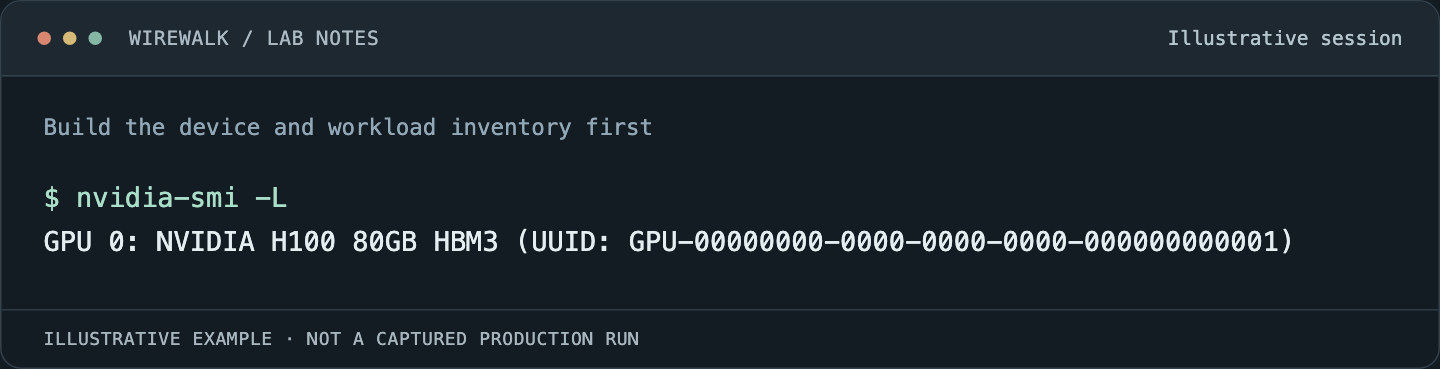
Read the illustrated session as text
$ nvidia-smi -L
GPU 0: NVIDIA H100 80GB HBM3 (UUID: GPU-00000000-0000-0000-0000-000000000001)
Read and copy the original commands
nvidia-smi -L
nvidia-smi --query-gpu=uuid,pci.bus_id,name,driver_version --format=csv
nvidia-smi -q
journalctl -k --since '30 minutes ago' --no-pager
Run these in the host context with appropriate privileges. Retain complete output before reducing it to selected fields. An unsupported field or failed query is missing evidence, not a healthy zero.
Preserve the event sequence, including the surrounding system
Collect a bounded interval covering the first application failure, earlier kernel messages and the scheduler’s response. Record the host’s time zone and clock synchronization status. Preserve boot identity so that events on either side of a reboot are not accidentally merged into one interval.
The archived Xid reference describes Xid reports in the operating-system logs and explains why the code alone can have several possible causes. Keep the full message, device address and accompanying events. A final launcher error may merely report that another rank disappeared.
Add GPU inventory, driver and firmware identities, application image or module versions, and the first failing rank’s stderr. If the node also reported PCIe errors, power events or an unexpected device disappearance, preserve those records on the same timeline.
Collect vendor support bundles through the site’s normal incident process. Review them before sharing outside the organization; paths, command lines and environment details can expose research information even when the fault itself is purely hardware-related.
Classify the fault before choosing the recovery boundary
Use a small decision table to organize the evidence. Its next steps are investigative boundaries, not an automatic reset policy.
| Evidence | What to investigate | Operational decision to make |
|---|---|---|
| One application fails with an invalid memory-access symptom | Application inputs, CUDA diagnostics, library compatibility | Whether the failure follows the program or the device |
| ECC-related events appear | Generation-specific memory-error guidance and pending recovery state | Which workload or device must stop before recovery |
| GPU disappears from PCIe access | Root-port events, platform logs, power and device state | Whether the node can remain in service |
| Several ranks fail after a link event | Earliest device/fabric error and communication dependencies | Which distributed worker group needs coordinated restart |
| The same slot fails with different workloads | Platform path, firmware history and hardware diagnostics | Whether vendor investigation is required before readmission |
For example, R555 describes Xid 79 as a GPU becoming inaccessible through PCIe, with several possible causes. It also distinguishes contained and uncontained errors under Xid 94/95 on supporting GPUs. These distinctions matter, but the applicable recovery procedure still comes from the matched platform documentation.
Avoid grouping every ECC counter under one alarm. Corrected errors, uncorrectable events, retired pages, pending retirement and row-remapping state describe different conditions. A total count without device generation, reset history and recent change is a poor basis for deciding whether to return a node to research work.
Stop new allocations while protecting recoverable work
Prevent additional jobs from landing on a suspect resource while the investigation is active. In Slurm, that may mean draining the node under the site’s maintenance procedure. In Kubernetes, cordoning affects new placement but does not, by itself, stop existing workloads.
Identify every consumer before planning a reset: research processes, shared GPU services, monitoring tools, virtual machines and other GPU instances. Determine whether recovery affects neighboring devices or a larger fabric domain. A device selected by UUID is not necessarily an independently resettable failure domain.
NVIDIA’s nvidia-smi documentation describes reset prerequisites and platform restrictions. Confirm those for the installed stack. This article deliberately leaves reset execution to the qualified maintenance procedure rather than providing an unconditional fleet-wide command.
For distributed work, save the last known complete checkpoint and application state before recovery where that remains possible. The checkpoint recovery guide explains why the newest-looking checkpoint is not sufficient evidence that a restart will succeed.
Use diagnostics to narrow the cause
Start with a small test matched to the failing operation. A CUDA computation, a host-to-device transfer and a multi-GPU exchange exercise different paths. Run them separately before repeating the full training workload.
If a failure follows an application across otherwise healthy devices, investigate the application and its inputs. If several qualified workloads fail on the same device or slot, preserve that pattern for the platform vendor. Neither observation is absolute proof, but both make the next test more useful.
Use the installed DCGM diagnostic guidance to choose test level, runtime and resource ownership. Diagnostics consume devices and may disrupt work; a monitoring deployment does not authorize running an invasive diagnostic beside active research jobs. Where vendor field diagnostics are required, preserve their version and full result.
Application-level investigation can continue with CUDA-GDB and Compute Sanitizer. Device telemetry should be joined to jobs using the approach in GPU telemetry and job attribution.
Monitor recurrence with stable identities and meaningful windows
Track events per physical GPU and per boot, then join them to allocation history. Separate first occurrence, repeated events during one failure and recurrence after a recovery. Otherwise a noisy retry loop can look like many independent hardware incidents.
Keep counter resets and device replacements visible. A replaced GPU in the same slot is a new device; a rebooted node with counters back at zero is not automatically a repaired node. Preserve the previous incident record alongside the new baseline.
Monitor useful work after recovery: computation completion, transfer results, collective progress and checkpoint recovery. A GPU appearing in inventory or returning a temperature reading does not establish that the path which failed now works.
Return the resource with a specific acceptance record
Require an explanation of the recovery action, the tests performed and the remaining uncertainty. Record the physical UUID, software stack, relevant counter state and the result of a representative job. Keep the node isolated if the same unresolved fault returns during qualification.
When escalation is needed, send the vendor a compact sequence: first failure, affected identities, surrounding platform events, controlled reproduction and changes already tried. That sequence is more actionable than a large collection of unrelated screenshots.
Close the incident only when the system can complete the agreed workload and the team knows what to watch for next. The aim is a dependable research resource, with enough history to recognize the next occurrence quickly.