
NVIDIA driver and kernel upgrades: qualify the booted stack as one release
Plan GPU-node upgrades around the running kernel, module trust, userspace libraries and workload tests, with an image-level rollback that can actually boot.
A driver package can install successfully while the next boot has no usable GPU. The running kernel may differ from the one whose development files were installed, the new module may not load under Secure Boot, or the application may resolve userspace libraries from an unexpected location.
Treat the kernel, GPU driver and its dependent workload path as a release unit. The package transaction is one step. The acceptance result comes from a booted canary running the jobs the service is expected to support.
Capture the old release before changing it
Record the running kernel, installed kernel packages, GPU driver, firmware inventory where relevant, CUDA toolkit, container runtime and scheduler integration. Preserve the known-good image or package set through the site’s supported release process.
Read-only observations on a candidate node can begin with:
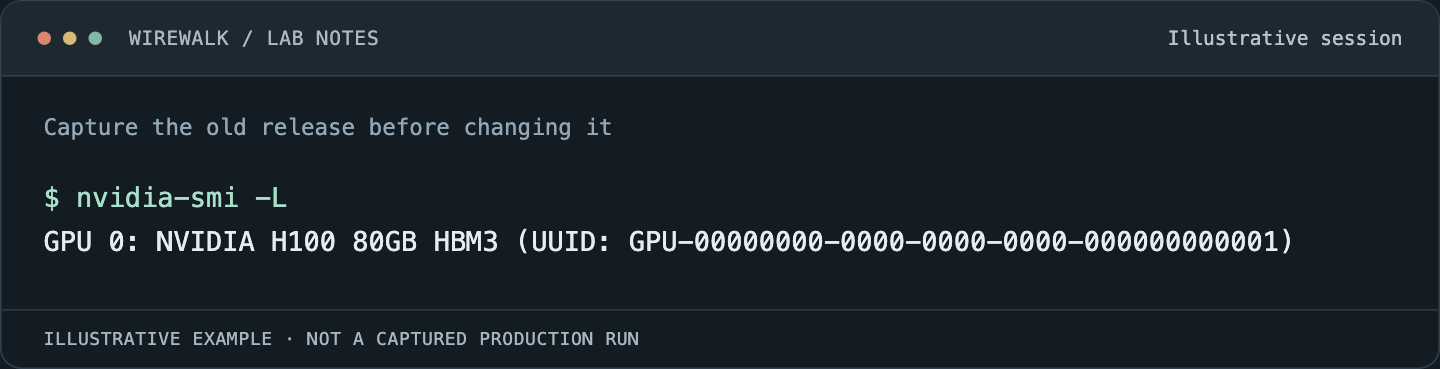
Read the illustrated session as text
$ nvidia-smi -L
GPU 0: NVIDIA H100 80GB HBM3 (UUID: GPU-00000000-0000-0000-0000-000000000001)
Read and copy the original commands
uname -r
nvidia-smi --query-gpu=name,uuid,driver_version --format=csv
modinfo nvidia
cat /proc/driver/nvidia/version
modinfo reports the module found through its lookup path; /proc provides information about the loaded driver when available. A difference between installed and loaded state deserves explanation before the upgrade proceeds.
Save a short representative workload’s output and timing as the comparison point. Avoid treating a single benchmark number as a complete baseline. Include correctness, peak memory and the time spent initializing the application.
Choose a supported combination
Use NVIDIA’s supported driver and distribution guidance together with the requirements of the deployed application stack. A newer package is not automatically compatible with every older filesystem client, RDMA component or container integration on the node.
The CUDA 12.6.3 Linux installation guide describes the role of matching kernel development components in driver builds. Confirm the actual boot target and the applicable distribution packaging method. Precompiled modules and locally built modules have different operating requirements.
Keep security updates within the decision. A performance regression investigation is not a reason to leave a known security requirement unowned. Record the constraint and work with the supported vendor path rather than quietly freezing the stack indefinitely.
Verify module trust and boot artifacts
Where Secure Boot applies, establish how modules are signed and trusted under site policy. Check the distribution’s supported enrollment or signing workflow. Disabling Secure Boot as a routine installation shortcut changes a security property and does not solve the release-management problem.
Inspect the selected kernel, required modules and initramfs contents through the platform’s supported tools. A module present on the root filesystem may still be unavailable when an early-boot dependency needs it. An image-building environment can also lack the running node’s hardware and service state, so image success must be followed by boot testing.
For BCM-managed nodes, qualify the image and the provisioning path together. A manual repair made only on the canary should be transferred into the controlled image before the result is called repeatable.
Separate driver capability from the application runtime
The CUDA version displayed by nvidia-smi describes driver-supported capability, not a complete inventory of the toolkit or framework runtime the application loaded. Record the actual application environment, including container digest and framework build.
NVIDIA’s CUDA compatibility documentation explains the compatibility model and its conditions. Use the relevant versioned requirements when qualifying an older container against a changed host driver. A successful import or version print is weaker evidence than executing the workload.
Test the container path separately from the host path. Device discovery, library injection, GPU memory allocation and actual kernel execution exercise different dependencies. Keep the ordinary-user context and scheduler device restrictions in the test.
Build an acceptance ladder
Begin with inventory and a bounded CUDA operation on one GPU. Then run a representative container, a storage read and checkpoint write/readback, and an allocation that verifies cleanup. Check logs for new errors during each step.
Where the service supports distributed training, add a small multi-node communication test using the supported MPI or NCCL stack. Select known-good peers so a failure can be narrowed to the candidate. A single-node test cannot establish that GPU Direct RDMA or the intended collective path still works.
Compare end-to-end behavior with the saved baseline. Look at startup, steady state and shutdown separately. A change may leave kernel execution fast while delaying initialization or breaking process cleanup after cancellation.
Do not run intrusive stress or diagnostics beside production jobs without an agreed window. The canary should remain unavailable to ordinary users until the defined acceptance ladder passes.
Make rollback a boot test
Keep a known-good bootable image or supported kernel/driver combination, along with out-of-band access. Write down how to select it if normal SSH never returns. Reversing a package transaction after a failed boot is not a practical plan if nobody can reach the machine.
Test rollback on the canary and re-run the essential workload checks. Confirm that the scheduler, mounts and monitoring return to the expected state. Preserve scientific data independently of the operating-system rollback; restoring an image is not a research-data recovery mechanism.
Record which state rollback does not undo. Firmware, external configuration and shared storage may have separate lifecycles. If the release changes one of those, its recovery plan needs explicit treatment rather than being hidden under the word image.
Roll forward in meaningful cohorts
Choose a small initial group covering the relevant hardware classes and workload types. Observe normal jobs before expanding. Retain a clear stop condition for repeated boot failures, new GPU errors, missing mounts or reproducible application regressions.
The final release record should identify the booted stack, test evidence, rollout population and rollback result. That lets the next administrator determine whether a failure is an application issue or a node running a different qualified configuration.
For enforcing the resulting allocation boundary, see Slurm GPU isolation validation. An upgrade is complete when the service works through that boundary, not when the installer exits successfully.