
BCM image drift: prove what a node will boot before updating the fleet
A practical release process for BCM images: separate desired configuration from running state, inspect synchronization scope, and qualify a reboot before rolling changes outward.
A package fix on one compute node can make an application work immediately and disappear at the next provision. The reverse is just as frustrating: the image contains the fix, but researchers keep landing on nodes that have never received it. Both situations look like an intermittent application problem until someone compares the running system with the image assigned to it.
Base Command Manager gives you mechanisms for managing images and updating nodes. The operating process still has to establish which state is authoritative, what a synchronization will touch, and what survives boot. This article uses BCM 10 terminology; command options and exclusion rules must be checked against the installed point release.
Keep three inventories instead of one reassuring label
Record the assigned software image, the contents of that image, and the running node state separately. An image name is an administrative reference, not a content digest. Editing an image in place can leave two nodes with the same assigned name and different packages, kernels or configuration.
For each release, retain a package manifest, a short list of critical configuration hashes and the intended boot kernel. Include GPU driver packages, RDMA components, filesystem clients and scheduler plugins. Keep secrets out of the manifest. For generated configuration, record the generator and its inputs rather than storing credentials in a checksum report.
A small read-only inventory on an RPM-based node might begin with:
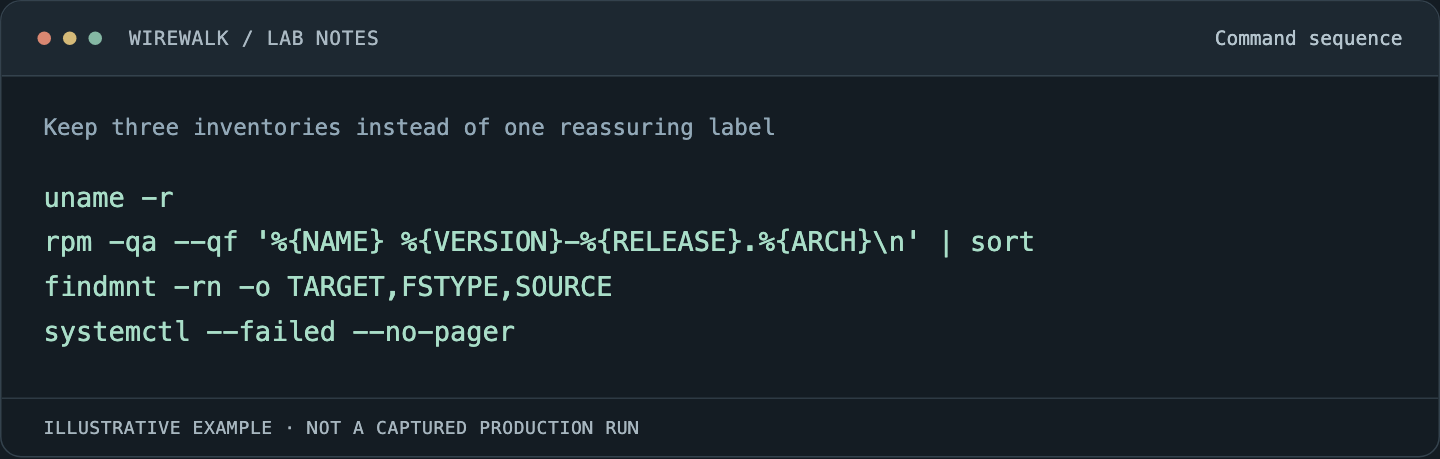
Read and copy the example as text
uname -r
rpm -qa --qf '%{NAME} %{VERSION}-%{RELEASE}.%{ARCH}\n' | sort
findmnt -rn -o TARGET,FSTYPE,SOURCE
systemctl --failed --no-pager
These observations describe the node where they run. Collect the image manifest inside the image using the package manager’s supported root or chroot workflow. A successful package transaction there does not establish that a kernel module will load on the next boot.
Decide which mechanism owns each file
NVIDIA’s BCM 10 software-management documentation describes image management, package changes and node-to-image synchronization. Use it to identify the supported operation for the intended direction of change.
Assign a clear owner to each configuration area. The image may own installed binaries, BCM may generate network settings, and a separate configuration system may manage a service policy. If all three rewrite the same file, a node can alternate between apparently valid states depending on which agent ran last.
Build a table with path, owner, regeneration trigger and expected local exception. A locally generated SSH host key has a different lifecycle from a shared scheduler configuration. A dataset staged on local scratch has a different retention rule from an operating-system cache. Neither belongs in a generic instruction to make the node identical to the image.
Avoid capturing a repaired node wholesale without reviewing its state. It may contain temporary certificates, user material, troubleshooting flags or a configuration that only makes sense on that machine. Transfer the deliberate change into the controlled image and rebuild its manifest.
Review synchronization as a proposed change
The BCM 10 provisioning chapter is the reference for image-to-node updates and their scope. Before an update, inspect the installed tool’s dry-run and synchronization-log facilities. Read proposed deletions as carefully as replacements.
Use a disposable directory containing a harmless sentinel to check the treatment of a local exception. Do this on a canary with no research data at risk. A policy saying that a path is excluded is weaker evidence than a preview showing it untouched and a subsequent test confirming that outcome.
Pay attention to files that require a service restart or reboot. Replacing a library on disk does not replace the copy already mapped into a process. Kernel, initramfs, driver and userspace changes can produce a mixed state that never exists after a clean boot. Document whether the release supports live synchronization, reboot provisioning or both.
Qualify the booted release
Keep the canary unavailable to ordinary jobs while testing. Confirm its assigned image, provision it through the intended path, and read back the booted kernel and loaded modules. Then exercise the workload path: authentication, mounts, a scheduler allocation, CPU placement, GPU access if present, and communication to another qualified node.
For NVIDIA systems, separate driver visibility from application readiness. A successful inventory query is useful, but a short CUDA allocation, representative container and relevant multi-node test cover different dependencies. A node can see its GPU while its container cannot use the intended libraries.
Retain the previous image and a way to reach the canary out of band. Reverting an image assignment is only part of rollback: establish how the node actually boots it, how much local state is lost, and which services must be revalidated afterward.
Treat exceptions as expiring work
Some local changes are justified. A diagnostic agent may need a temporary override, or a hardware fault may require one node to use a different package. Record an owner and expiry condition for each exception. Otherwise every repair becomes a permanent fork with no name.
Roll out in small groups selected across relevant hardware classes. Watch for recurring differences in manifests, boot duration and workload checks. Stop if a second node reproduces an unexplained failure; adding more nodes rarely clarifies whether the problem comes from the image or the update process.
The useful release record is concise: image identity, manifest, canary evidence, rollout population and rollback result. Another administrator should be able to tell what a node will become after provisioning without remembering the terminal session that created the image.
For the state that deliberately stays outside an image, see node-local state and reimaging.