
Kueue for HPC and AI: debug admission, placement and distributed startup separately
Configure GPU batch admission with Kueue queues and hardware flavors, then distinguish quota waits from placement failures and distributed application startup problems.
A distributed GPU job can have enough quota and still fail to start. The eligible nodes may be fragmented, a volume may be unavailable, or one worker may be waiting for an RDMA resource that the quota model never included.
Kueue is useful for deciding when supported batch workloads should be admitted against managed quotas. Kubernetes placement and application startup still need their own evidence. Keeping those stages separate makes both setup and troubleshooting much clearer.
This guide uses Kueue v0.10.2 as a fixed baseline, with kueue.x-k8s.io/v1beta1 queue APIs. Later documentation can describe different APIs and capabilities. Use the tagged release’s manifests and documentation when reproducing this design, and qualify a currently supported release before adopting it for a new production service.
Define admission policy before queue objects
List the research workloads the service must support: single-GPU experiments, multi-node training, CPU-heavy analysis and jobs that need a specific accelerator or network. Record expected duration, checkpoint support, minimum worker group and the consequences of interruption.
Decide which namespaces and teams share capacity, which resources are covered by quota and whether borrowing is allowed. Quota describes an allocation policy. It does not create nodes, make an incompatible GPU usable or guarantee that every requested resource fits on the same machines.
Keep this design separate from a Run:ai-controlled workload path unless a supported integration has been explicitly qualified. Installing two resource-management systems does not resolve ownership between them. The same principle applies to Slurm worker pools: each physical resource needs a clear admission and placement model.
Map flavors to real hardware
A ResourceFlavor represents characteristics of resources available to a queue. Define labels and, where applicable, taints that correspond to real eligible nodes. Check those labels against inventory rather than using a friendly name that conceals several incompatible GPU types.
For a multi-node workload, include the constraints that matter to communication and memory. GPU count alone is a weak description when some nodes have different accelerator memory, network connectivity or CPU locality. Do not infer a full topology guarantee from a flavor label.
Document the relationship between each flavor, node pool and physical capacity. A quota of eight GPUs is only useful to an eight-GPU job if the rest of its placement constraints can also be met. Maintenance, existing pods and per-node resource fragmentation can prevent that even when a quota counter looks favorable.
Connect ClusterQueue, LocalQueue and namespace
A ClusterQueue defines the managed quota policy. A namespace-scoped LocalQueue gives workloads a queue entry point that references the intended ClusterQueue. Keep the naming and namespace ownership straightforward so a researcher can identify where a submitted job will wait.
Start with one namespace, one hardware flavor and a small quota before introducing borrowing or multiple flavors. Review the release-tagged quota administration documentation for the actual API and fields.
Review namespace selection and access permissions. A valid LocalQueue reference is not a substitute for an authorization policy. Test submission as an ordinary research user and verify that the intended queue is available without giving broad cluster administration rights.
A minimal illustrative queue chain is below. It assumes an existing namespace research labeled example.com/research-queue=true and qualified GPU nodes labeled example.com/gpu-class=research. The quota numbers are examples, not measured capacity. Review all selectors before applying it.
apiVersion: kueue.x-k8s.io/v1beta1
kind: ResourceFlavor
metadata:
  name: research-gpu
spec:
  nodeLabels:
    example.com/gpu-class: research
---
apiVersion: kueue.x-k8s.io/v1beta1
kind: ClusterQueue
metadata:
  name: research-gpu
spec:
  namespaceSelector:
    matchLabels:
      example.com/research-queue: "true"
  resourceGroups:
    - coveredResources: ["cpu", "memory", "nvidia.com/gpu"]
      flavors:
        - name: research-gpu
          resources:
            - name: cpu
              nominalQuota: 8
            - name: memory
              nominalQuota: 16Gi
            - name: nvidia.com/gpu
              nominalQuota: 2
---
apiVersion: kueue.x-k8s.io/v1beta1
kind: LocalQueue
metadata:
  name: research-gpu
  namespace: research
spec:
  clusterQueue: research-gpu
The namespace selector limits which namespaces can use the ClusterQueue; the flavor’s node label guides eligible hardware selection. Neither label installs a GPU driver or creates capacity. Check the namespace and node labels independently before testing the Job below.
Before starting jobs, inspect the installed controller, queue conditions and Kubernetes events. Confirm that the selected resources are covered by the intended quota configuration. If a NIC resource or storage constraint sits outside that model, include it explicitly in acceptance testing and monitoring.
Use a small suspended GPU Job as the first canary
The v0.10.2 Kubernetes Job guide requires the queue label, a suspended Job and declared resource requests. This illustrative canary assumes a LocalQueue named research-gpu already exists and a qualified private image contains the test program:
apiVersion: batch/v1
kind: Job
metadata:
  name: gpu-canary
  namespace: research
  labels:
    kueue.x-k8s.io/queue-name: research-gpu
spec:
  suspend: true
  backoffLimit: 0
  template:
    spec:
      restartPolicy: Never
      containers:
        - name: canary
          image: registry.example.com/research/gpu-canary:qualified
          command: ["/opt/research/bin/gpu-canary"]
          resources:
            requests:
              cpu: "2"
              memory: 4Gi
            limits:
              cpu: "2"
              memory: 4Gi
              nvidia.com/gpu: 1
Replace the image and command with a tested artifact, preferably pinned by digest. The NVIDIA GPU extended resource relies on a working device-plugin installation. This single-pod canary proves a narrow admission and execution path; it does not demonstrate gang startup for distributed training.
Submit the approved manifest in the test namespace, then inspect its associated Workload, Job and Pod. Record the transitions rather than only the final success. Repeat when quota is intentionally occupied to prove the waiting behavior.
Follow the first unsatisfied condition
Initial read-only checks are:
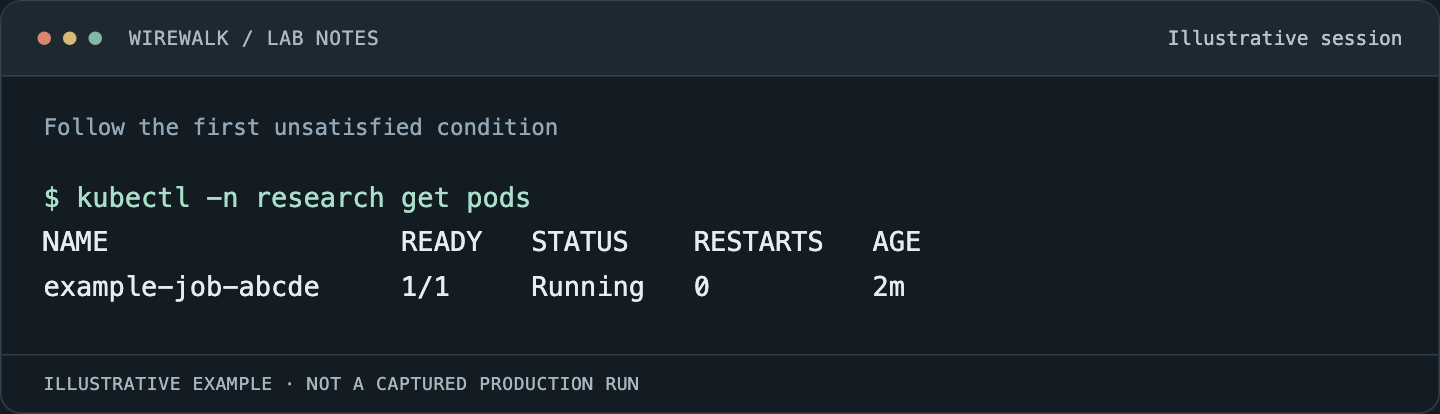
Read the illustrated session as text
$ kubectl -n research get pods
NAME                  READY   STATUS    RESTARTS   AGE
example-job-abcde     1/1     Running   0          2m
Read and copy the original commands
kubectl -n research get localqueues
kubectl get clusterqueues
kubectl -n research get workloads
kubectl -n research get jobs,pods
kubectl -n research get events --sort-by=.metadata.creationTimestamp
Use the discovered Workload name for a detailed inspection. The tagged troubleshooting guide explains following workload state and conditions. Do not assume the Workload name is identical to the Job name.
| Observation | Investigate next |
|---|---|
| Job has no expected managed Workload | Queue label, namespace, supported integration and controller events |
| Workload is waiting for admission | Queue conditions, matching flavors, quota and competing workloads |
| Workload admitted but Pod Pending | Pod scheduling events, physical resources, affinity, taints and volumes |
| Pod assigned but container not running | Image pulls, mounts, runtime and security configuration |
| Workers run but training has not begun | Rendezvous, rank count, dataset access and communication transport |
Preserve the state before forcing a job to resume or changing queue policy. Manual intervention can hide the condition being investigated and create a workload outside the intended admission process.
Qualify the distributed integration separately
Choose a distributed-job integration supported by the pinned Kueue release and install its required controller and CRDs at qualified versions. Do not assume several independent Jobs automatically become one coordinated distributed workload.
Define what success means: the required worker group starts within a bounded interval, every rank reaches initialization, the intended network carries communication, and the application completes a short useful step. Test an intentionally unavailable worker resource to observe how the configured integration handles incomplete startup.
Kueue admission is not itself proof that all pods are simultaneously placed or that an application can recover after one rank fails. If using release-specific readiness or timeout features, test their actual behavior and the resulting requeue or eviction path. Keep those policies consistent with the application’s checkpoint and restart model.
For GPU/RDMA jobs, verify CPU, memory, accelerators, NIC resources and storage together. The multi-rail Kubernetes guide addresses the transport checks after placement succeeds.
Monitor the waiting time that researchers experience
Measure submission-to-admission, admission-to-pod-ready and pod-ready-to-first-useful-step separately. A growing admission wait suggests a different investigation from a growing image-pull or rendezvous delay.
Track pending workload reasons, queue condition changes, admission outcomes and the number of admitted workloads whose pods have not become useful. Check monitoring freshness and controller health before interpreting an empty dashboard as an empty queue.
Use metric names from the installed release’s endpoint and documentation. Avoid copying alert rules from a newer release without confirming that the series and labels exist. Keep job identifiers in logs or bounded investigation views where permanent per-job labels would create excessive cardinality.
Compare queue policy with research outcomes. A policy that improves raw GPU occupancy while repeatedly interrupting jobs with expensive checkpoints may lengthen time to results. Measure completed work, wasted restart time and storage pressure alongside allocation.
Test recovery before expanding the policy
Exercise controller replacement, a worker failure and a planned capacity reduction in an isolated test window. Observe pending and admitted workloads independently. Verify that completed jobs release the expected quota and that a restarted distributed workload reads a complete checkpoint.
Retain the qualified release manifests, queue definitions, node-label inventory, image digest and transition timeline. Expand flavors and borrowing only after the simple case is understandable under both normal demand and failure.
Wirewalk’s HPC and AI infrastructure services connect queue policy to the GPUs, storage and fabric that researchers actually use, with acceptance tests that can be repeated after changes.