
Kubernetes multi-rail RDMA: follow the path from GPU allocation to fabric traffic
Build and debug GPU pods with multiple RDMA networks by checking host readiness, CNI attachments, device allocation and the application transport independently.
A GPU pod can start successfully and still communicate over an unintended network. The GPU allocation proves that a device was assigned. It does not prove that the pod received the intended RDMA device, that its secondary address reaches a peer, or that the collective library selected that path.
For distributed training and MPI, the useful unit of validation is a pair of application processes on different nodes. Work backwards from their connection to the pod attachments, host devices and physical fabric. Keep those identities visible throughout the investigation.
This guide uses the NVIDIA Network Operator 26.1.2 documentation as its networking baseline. It describes shared RDMA and secondary networks; SR-IOV and hardware-specific Spectrum-X modes need their own qualification. Treat the examples as a canary design to adapt to the installed CRDs and hardware.
Establish the host baseline before installing a network recipe
Record GPU model, NIC model and PCI address, firmware, kernel, driver, container runtime and network-operator versions for each canary node. Check that the intended net devices and RDMA devices exist on the host and that both ends use compatible MTU and addressing.
Do not start by copying environment variables from a working cluster. Those values may encode a different interface naming scheme or hide a transport failure. First establish which cable, switch path and GPU locality each device represents.
Build an inventory linking node name, physical NIC, PCI function, net device, RDMA device, NUMA node and rail. Where the fabric has multiple planes, add the plane mapping from the Spectrum-X setup guide. A rail name in a pod manifest cannot repair an incorrect physical mapping.
Read-only host checks include:
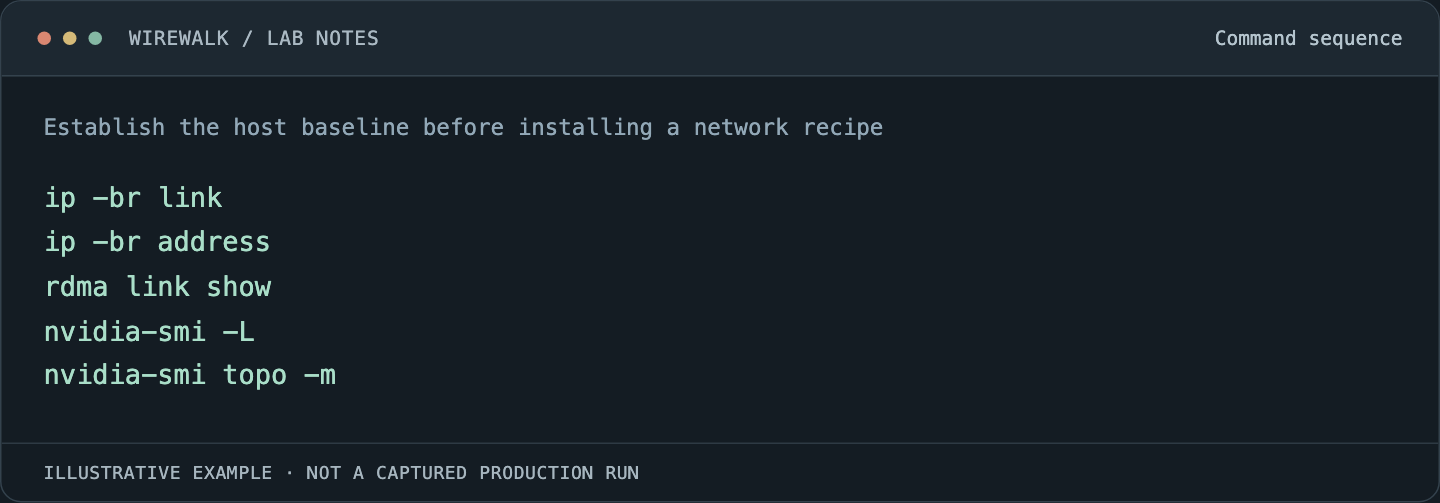
Read and copy the example as text
ip -br link
ip -br address
rdma link show
nvidia-smi -L
nvidia-smi topo -m
Run these in the appropriate host context. A restricted application container may intentionally lack these utilities or expose a different view.
Separate network attachment from device allocation
The NVIDIA MacVLAN and shared-RDMA example combines several components. Multus selects secondary attachments, a CNI configures the interfaces, IPAM supplies addresses, and the shared-device plugin advertises allocatable RDMA resources.
Each component answers a different question. An address in a secondary interface does not prove device access. An allocated RDMA resource does not configure an IP route. For two rails, define and verify the relationship between each network attachment and the resource selecting its underlying host interface.
The shared plugin’s rdmaHcaMax controls the number of allocatable shares advertised for a configured resource. It is not a reservation of equivalent physical NIC bandwidth for each pod. Sharing also requires an explicit isolation and contention policy.
For NVIDIA’s example configuration, a resource named rdma_shared_device_a is requested using its qualified resource name, such as rdma/rdma_shared_device_a. Inspect the node’s actual allocatable keys before writing the workload. Resource names in this article are illustrative.
Build a small two-node canary
Use two selected nodes, a known image digest and one GPU process per node before trying a large distributed job. Pre-pull the image and confirm that the image can load the required userspace communication libraries against the supported host stack.
Create the secondary network definitions and address pools using the installed operator’s schema. Check that pool ranges do not overlap another network and that address availability is sufficient for startup, retries and rolling replacement. A pool that supports the steady-state pod count may still fail during replacement.
A workload fragment might contain:
metadata:
  annotations:
    k8s.v1.cni.cncf.io/networks: "rail-a,rail-b"
spec:
  containers:
    - name: worker
      image: registry.example.com/research/rdma-canary:qualified
      resources:
        limits:
          nvidia.com/gpu: 1
          rdma/rdma_shared_device_a: 1
          rdma/rdma_shared_device_b: 1
This is a fragment, not a complete Pod or a promise that these resources exist. Replace the registry, attachments and resource names with qualified local definitions. Add CPU, memory, storage, placement and application commands in the complete manifest. Check resulting network-status annotations rather than assuming attachment order always produces the intended interface names.
Prove the transport inside the pod
Start with peer reachability on each secondary address, then use an RDMA test supported by the image and hardware. Keep server/client address selection explicit. A successful IP ping is useful evidence for addressing but does not test RDMA transfer or GPU memory access.
Next run a small collective workload with temporary diagnostic logging. NVIDIA documents NCCL_SOCKET_IFNAME for IP interface selection and NCCL_IB_HCA for RDMA device selection in its NCCL environment-variable reference. These settings address different layers. Selecting the bootstrap interface does not, by itself, select every RDMA data path.
Capture NCCL_DEBUG=INFO and, where supported by the installed NCCL release, NCCL_DEBUG_SUBSYS=INIT,NET for the bounded test. Review the chosen transport and devices. Remove diagnostic overrides after resolving the issue; a workaround left in a global environment can become the next performance problem.
Do not hardcode a GID index or device prefix solely because it worked on another node. Confirm discovery in the actual pod. Test host-memory RDMA and GPU-memory communication separately so that a GPUDirect-specific problem does not get confused with basic network reachability.
Diagnose the first layer that fails
| Symptom | First evidence to collect | Likely boundary to investigate |
|---|---|---|
| Pod remains Pending | Pod events, requests, node allocatable resources | Capacity, placement, taints or resource-name mismatch |
| Pod sandbox creation fails | CNI event and relevant plugin logs | Attachment definition, IPAM, master interface or permissions |
| Interface exists but peer is unreachable | Address, route, MTU and switch path on both ends | Secondary-network connectivity |
| RDMA device absent in container | Allocated resource and plugin discovery logs | Device selection and exposure |
| Collective uses a socket path | Application transport logs and loaded libraries | Library compatibility, selection or failed RDMA initialization |
| Small test passes, training stalls | Per-rank progress plus NIC and switch counter deltas | Congestion, locality, contention, storage or a slow rank |
Avoid changing the CNI, NIC firmware and NCCL settings in one attempt. Preserve the first failing evidence, make one bounded change, then rerun the same canary. If the canary passes but the full job fails, scale node count and message sizes in steps.
Monitor rails alongside useful application work
Join pod UID, job identifier, node, GPU identity, RDMA device, net device and rail in the monitoring inventory. Keep high-cardinality identifiers out of permanent metric labels where that would overwhelm the monitoring system; a short-lived investigation table can carry the detailed join.
Measure interface and switch counter deltas over the same interval as application step times. Compare transmitted bytes, errors and congestion indicators between rails with the topology and workload pattern in mind. Unequal traffic is not automatically a fault, but an idle expected rail deserves an explanation.
GPU utilization alone cannot tell whether the network is feeding the application effectively. Combine it with collective time, data-loader wait, checkpoint duration and per-rank progress. The GPU telemetry guide discusses associating GPU observations with the job that produced them.
Test replacement and preserve a reproducible result
After the canary works, replace a pod and then test a planned node drain within an approved test window. Confirm that addresses are released, replacement pods receive devices, the intended transport returns and checkpoints can be resumed. Record which failures require restarting the full distributed worker group.
Secondary networks also need a security review. Do not assume every primary-network policy automatically governs Multus traffic. Test the selected CNI’s enforcement and the intended research-project boundaries.
Keep the qualified image digest, operator values, network definitions, device inventory and test outputs together. They provide a practical starting point for the next driver or firmware update. For help qualifying that path across Kubernetes, GPUs and the fabric, see HPC and AI infrastructure services.