
Storage Scale has free space, but the job cannot write: filesets, inodes and quotas
Diagnose write failures despite free filesystem capacity by separating mount identity, fileset inode space, quota scope, pool headroom and application behavior.
“There is plenty of free space” is a frustrating answer when a research job cannot create its output. The filesystem total may be correct while a fileset has exhausted its inode allowance, a quota blocks the user or the required pool lacks headroom. The path may even be on an unexpected mount.
Capture the failed operation, identity and path, then follow the allocation checks below. Filesystem and project names are illustrative; the commands inspect state without changing quota policy or storage layout.
Preserve the exact failure
Capture the failing path, time, job ID, user identity and application message. If possible, preserve the underlying system error rather than only a wrapper’s summary. Permission denied, quota exceeded, no space left and I/O error suggest different branches, though applications may translate them poorly.
Check whether the operation creates a new file, extends an existing one, renames output or creates a directory. A job can continue reading existing data while being unable to allocate new metadata or blocks.
Use a small site-approved scratch location for a reproduction. Do not repeatedly rerun an expensive job simply to see whether the symptom returns. Avoid broad namespace scans that add load without testing the failed operation.
Confirm the filesystem behind the path
Run the observation inside the affected job environment where possible:
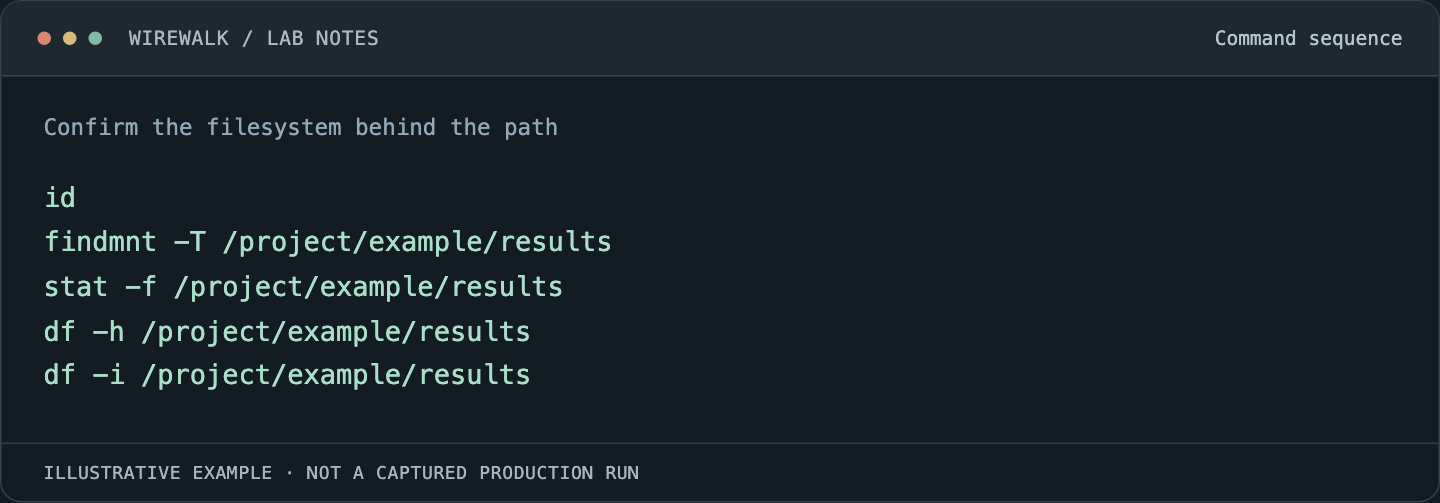
Read and copy the example as text
id
findmnt -T /project/example/results
stat -f /project/example/results
df -h /project/example/results
df -i /project/example/results
The path is illustrative. Compare the resolved mount with the expected filesystem and fileset junction. A missing mount can leave a writable local directory underneath it. A container bind can expose a different path from the one the user sees on the login node.
A successful local write in that situation is worse than an obvious failure: results may be left on temporary node storage and disappear later. Establish mount identity before using any capacity number to explain the incident.
Separate block capacity from file-count capacity
Storage Scale allocates metadata through inode spaces. Independent filesets have their own inode-space relationships, while dependent filesets share an inode space. That structure matters when interpreting a file-count limit and deciding what change is actually possible.
Use the installed mmlsfileset reference to inspect the relevant fileset and inode information. A generic administrative starting point is:
mmlsfileset researchfs -L
mmdf researchfs
researchfs is a placeholder. The mmdf reference explains the filesystem’s disk and inode-space reporting. Interpret the actual fields for the installed release rather than treating df -i as a complete description of every fileset’s state.
An increase in data capacity does not necessarily address an exhausted file-count budget. Conversely, available inodes do not help if the required data or metadata pool cannot allocate space.
Identify the quota domain that rejected the work
Inspect user, group and fileset quotas as applicable to the site’s configuration. A project directory name is not proof that only a fileset quota matters. The effective user, group memberships and configured enforcement scopes all participate.
mmlsquota -u researcher researchfs
mmlsquota -g researchgroup researchfs
mmlsquota -j project_alpha researchfs
All names are illustrative. Review IBM’s quota command reference and fileset quota guidance. Distinguish block limits, inode limits, soft limits, hard limits and grace-period state.
Do not infer that a larger fileset quota overrides a user or group limit. Identify which scope is binding before proposing a change. If the site enforces user or group quotas per fileset, include that scope in the report so the operator does not adjust the wrong instance.
Explain why directory size is not authoritative
A du result answers a namespace traversal question. It is not automatically equivalent to quota accounting or physical storage consumption. Replication, sparse files, snapshots, deleted-but-open files and the tool’s traversal scope can all make apparently similar numbers describe different things.
Before comparing them, record units and definitions: logical bytes, allocated blocks, quota charge, retained snapshot data or raw pool consumption. Do not promise that deleting a particular directory will release an identical amount of physical capacity immediately.
Use supported administrative reporting to investigate mismatches. A quota-accounting check or repair can be substantial work; it should follow the storage team’s procedure and workload assessment rather than be launched reflexively because two commands disagree.
Look at the pool and allocation policy
Filesystem-wide free capacity can hide an allocation constraint in a specific pool. Determine where the failing file’s data and metadata are intended to go and compare that with usable headroom and device state.
A capacity warning should identify the constrained domain. Adding space to a different pool may improve the total while leaving the job unable to write. Likewise, moving data under load is an intervention with its own performance and recovery consequences.
Separate this investigation from a performance-tuning exercise. If the evidence shows a hard allocation limit, changing cache or transport parameters does not remove it. If capacity is available and the operation is merely slow, investigate latency and contention rather than changing quotas to make the alert disappear.
Account for file creation bursts
A pipeline may create a large temporary file population before producing a modest final result. Examples include extracted archives, per-task logs, package environments, shuffled dataset fragments and container caches. Capacity planning based only on retained output misses that transient peak.
Measure a representative task’s maximum file count and bytes, then test realistic concurrency. Multiplying the final output size by the number of tasks is not sufficient if intermediate state is much larger.
Where scientifically appropriate, reduce repeated discovery passes, use a versioned manifest or evaluate a packed data representation. Validate coverage and recovery behavior alongside performance. Replacing millions of files with an archive changes random access, update and partial-recovery characteristics; it is not a free optimization.
Choose a remedy with an owner
A quota increase may be appropriate when the project is entitled to more capacity and the storage system can support it. An inode-space change requires understanding the fileset structure and supported procedure. Cleanup requires a data owner, a retention decision and a bounded candidate set.
Do not delete broadly by age from a shared tree. Recent access time may not reflect scientific importance, and a temporary-looking directory may contain the only copy of a result. Prepare an inventory, agree the action and validate capacity afterward.
Close the incident by repeating the failed operation under the original identity and environment. Record the specific binding constraint, the change made and the resulting job behavior. Keep that explanation with the job record so a later write failure can be compared against the same constraint.
Read next: Node-local scratch under Slurm: stage data without losing the result, GPFS multihomed storage: when ARP filtering hides a second RDMA path.