
Docker or Apptainer for research computing: compare the operating models
Choose a research container workflow by comparing identity, privilege, filesystems, image delivery, scheduler integration and reproducibility rather than image format alone.
A working Docker image is a useful starting point for moving research software onto an HPC cluster. The application may need little change, but execution needs to fit the site’s users, storage and scheduler. That is where the choice of runtime matters.
Compare how the processes are owned, which host files are exposed, how limits are enforced and where images are cached. Test those behaviors along with the application, rather than choosing a runtime only because it can start the image.
Docker and Apptainer can belong to the same workflow: build and validate an OCI image in a controlled environment, then execute it using the site’s supported runtime. The boundary between those stages should be explicit.
Distinguish an image from a runtime
An image is a packaged filesystem and metadata. A runtime creates an execution environment from it. Image compatibility does not guarantee identical entrypoint behavior, environment handling, user identity, networking or mount defaults.
Apptainer supports workflows that consume Docker and OCI images, as described in its OCI guide. Test the application invocation after conversion rather than assuming a Docker command line can be pasted unchanged into an Apptainer job.
Record both the source OCI digest and the resulting SIF checksum. They identify different artifacts. If conversion is part of the release process, preserve the tool version, options and validation results alongside them.
Compare identity and privilege honestly
A conventional rootful Docker daemon has substantial host authority. Granting users access to its socket is therefore an infrastructure decision, not just permission to run scientific software. Docker’s security documentation discusses that attack surface.
Docker also supports rootless mode, in which the daemon and containers run without root privileges through user namespaces. It is inaccurate to say that Docker always requires a root daemon. Its suitability still depends on subordinate IDs, storage, networking, resource control and local support.
Apptainer commonly fits a shared-cluster workflow in which the invoking research identity remains central. Its exact privilege path depends on installation and configuration. Do not market any container runtime as a complete boundary against hostile code merely because a job runs without an obvious root process.
Make filesystem visibility part of the interface
A program can succeed on a workstation because its home directory contains undeclared configuration or packages. If the same directory is exposed inside the research container, the result may still appear reproducible while depending on that hidden state.
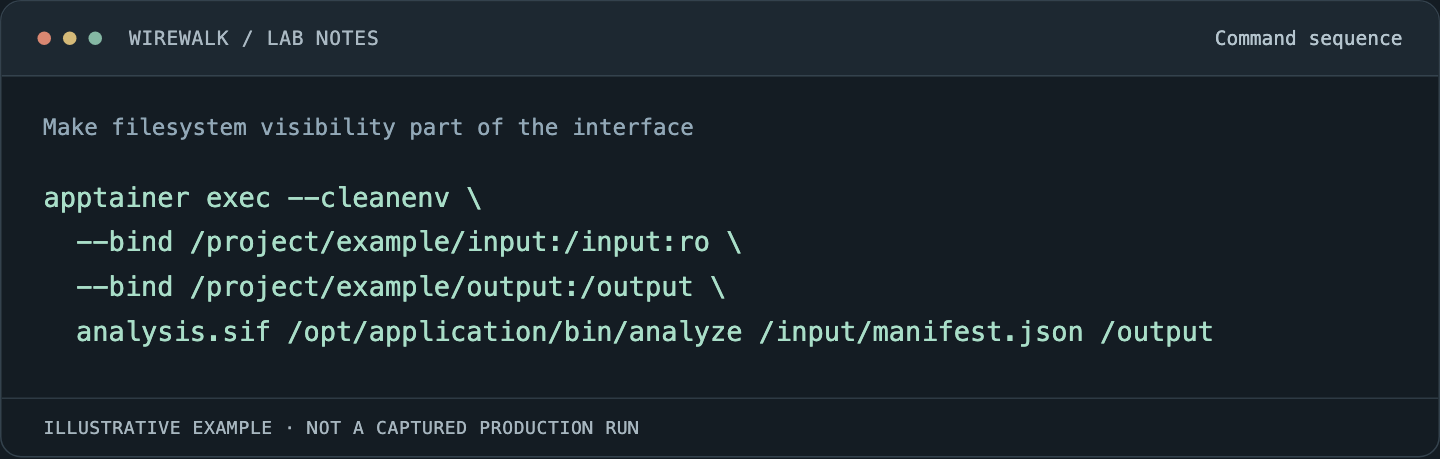
Review Apptainer’s bind-path defaults and the site’s configured additions. Explicitly declare input, output and temporary storage for the supported workflow. For a previously built image:
Read and copy the example as text
apptainer exec --cleanenv \
  --bind /project/example/input:/input:ro \
  --bind /project/example/output:/output \
  analysis.sif /opt/application/bin/analyze /input/manifest.json /output
These paths are illustrative and must exist with appropriate permissions. --cleanenv changes environment propagation; it does not by itself remove default filesystem mounts. If the workflow requires stronger containment, select and test the relevant options separately.
The application should fail clearly when required data is absent. Creating an empty host directory that happens to satisfy a mount command can turn a missing dataset into a misleading empty result.
Use a comparison table tied to site requirements
| Requirement | Questions for the pilot |
|---|---|
| User identity | Who owns output files and how are groups applied? |
| Privilege | Which daemon, helper or namespace setup is required? |
| Scheduling | Do processes remain within the allocation? |
| Storage | What is mounted, cached and written locally? |
| Networking | Does the workload require host fabric access or service networking? |
| Images | Can nodes obtain a pinned artifact without per-task registry pulls? |
| Support | Who maintains the integration after a kernel or driver change? |
Avoid scoring one runtime as universally better. A long-lived service and a short batch analysis expose different needs. A site may reasonably standardize different execution paths for them while keeping a common image-build process.
Keep image building away from expensive job startup
Build once in a controlled environment, test, scan according to policy and publish an immutable reference. Do not install packages from the internet during every GPU allocation. That consumes paid research time and makes success depend on a registry, package mirror and changing dependency solver state.
For Apptainer, stage the validated SIF before the main job. For Docker-based services, use the platform’s supported image distribution and cache controls. Test cold-start behavior separately from a warm-cache run.
Measure how startup scales when many jobs request the same large image. A runtime that launches quickly on one node may create a registry bottleneck at cluster scale. Image delivery is a storage and network workload, not merely a packaging detail.
Treat GPU support as a host-image contract
A container carries application libraries, but it does not replace the running host’s NVIDIA kernel driver. Driver compatibility, device access and runtime integration still need validation. Consult the framework image’s release notes and NVIDIA’s CUDA compatibility guidance.
For Apptainer’s conventional GPU path, --nv exposes the required NVIDIA devices and selected host libraries as documented in its GPU guide. That establishes a runtime mechanism, not scheduler authorization. Run inside a correctly constrained GPU allocation.
Test a real compute operation after checking visibility. A successful nvidia-smi proves that the management utility can communicate with the driver; it does not prove the application can load all libraries, compile kernels or execute its intended workload.
Preserve the scheduler’s resource boundary
Use the site’s supported Slurm launch path. Confirm CPU binding, memory enforcement, device constraints and cancellation behavior through the chosen runtime. The container should not create an alternate process tree that escapes the expected accounting and cleanup path.
Do not launch a privileged daemon on every compute node merely to preserve a familiar workstation command. First test whether the application can execute through Apptainer, Enroot/Pyxis or another supported integration. Conversely, do not assume changing the runtime leaves an MPI or GPU application unaffected.
A useful acceptance run writes a small known output, verifies its ownership, checks that only allocated hardware is usable and confirms that cancellation removes all owned processes. Save the actual result with the image identity.
Define reproducibility as more than packaging
Preserve the executable image, input version, command line, relevant environment, host driver and runtime versions, and application-level validation. Hardware differences and nondeterministic algorithms can still affect results. State what kind of reproducibility is required rather than promising bitwise identity without testing it.
Publish the supported launch command with the tested image, mount rules and hardware requirements. That gives researchers a route from their working software to a scheduled job without having to rediscover the cluster integration themselves.
Read next: Apptainer, MPI and RDMA: make the host–container boundary explicit, NVIDIA containers under Slurm: operating Enroot and Pyxis as a supported service.