
RDMA memory registration failures: inspect the job context before changing the fabric
Trace memory-registration errors through resource limits, userspace providers, containers and process scale instead of treating every verbs failure as a network fault.
An MPI job can fail while registering memory before it sends meaningful application traffic. A healthy link light and a clean switch port will not fix a process that lacks the required limit, device access or userspace support.
Start with the failing process’s context. An interactive root test and an ordinary batch task may inherit different resource limits, groups, libraries and device permissions. If only the privileged test works, that difference is evidence worth following before replacing cables or adjusting subnet settings.
Preserve the first useful error
Capture the original message, return status, allocation size and point in startup where the failure occurs. A later transport fallback or collective hang can hide the initial registration problem. Retain the application and MPI versions, launch command and node list with the logs.
Keep failure categories distinct. Opening a verbs device, creating a protection domain and registering a memory region are different operations. An error from one does not establish that every later stage would work if its immediate cause were removed.
The Linux userspace-verbs documentation describes the kernel/userspace boundary and locked-memory accounting. The rdma-core userspace guidance explains the associated device access and limits. Those mechanisms predate the current NVIDIA networking stack and remain useful for narrowing the fault domain.
Read limits from inside the actual allocation
In a diagnostic job, collect:
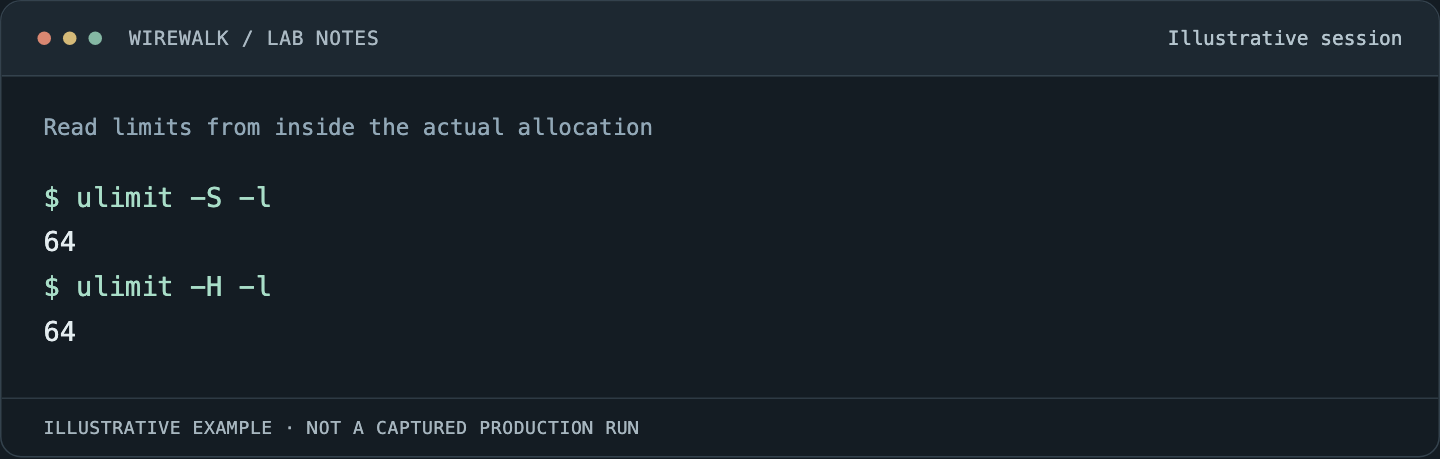
Read the illustrated session as text
$ ulimit -S -l
64
$ ulimit -H -l
64
Read and copy the original commands
ulimit -S -l
ulimit -H -l
cat /proc/self/limits
id
ls -l /dev/infiniband
The shell reports its inherited context. For a long-running application, inspect the application’s own limits and identity as well, subject to access permissions. A launcher or service can alter the values between the login shell and worker process.
ulimit -l conventionally displays a shell-specific unit, while /proc labels its values. Record the units instead of pasting numbers into a spreadsheet without them. A low locked-memory limit can explain failures that begin only when message buffers or process counts grow.
Do not make every user’s locked-memory allowance unlimited as an unexamined fleet-wide workaround. Establish the requirement and the site’s resource policy. Administrators may need to change service, PAM, scheduler or container settings at the point that actually controls inheritance.
Distinguish RAM pressure from registration limits
Available system memory and permission to lock or register memory are separate constraints. A node can show free RAM while a process reaches a limit relevant to registration. Conversely, raising a limit does not create memory or eliminate a driver resource ceiling.
Inventory the number of ranks, queue pairs, registered buffers and any registration-cache behavior. The amount of resource demand can scale with peers or communication strategy rather than only the message size shown in a benchmark’s title.
The ibv_reg_mr manual defines the memory-region operation and access flags. Use the error reported by the actual provider and kernel to narrow the explanation; do not assign every failure to memlock simply because it is a familiar setting.
Check the userspace and kernel pair
Record the RDMA driver, firmware, userspace provider and MPI transport components. Distribution packages and a separately installed vendor stack can leave a process loading a different library from the one the administrator inspected.
Read the resolved library path in the application environment and inspect the supported provider inventory. Keep the node’s package manifest with the test. A container may bring userspace libraries while relying on host device nodes and kernel modules, so successful container startup does not establish transport compatibility.
Repeat a small registration-capable test through the same scheduler and container launch path as the failing application. Keep the test bounded and use a supported tool from the installed stack. A test that merely lists adapters does not exercise the buffer lifecycle that failed.
Scale one resource dimension at a time
Compare a single rank, several ranks on one node, and the smallest multi-node case that reproduces the error. Then vary rank count, buffer size or peers independently where the test permits it. Save both successful and unsuccessful points.
If registration fails at a consistent per-process buffer size, focus on that process’s limits and allocation path. If failures appear only with many peers, investigate aggregate resource use and connection behavior. If only one node fails, compare its actual software and service context with a known-good peer.
These are diagnostic directions, not proofs. The next test should distinguish competing explanations. For example, reducing ranks also reduces memory demand and communication complexity, so success at lower scale does not identify which reduction mattered.
Treat GPU-memory registration as a separate path
A successful host-memory verbs test does not prove that GPU memory can use the intended RDMA path. NVIDIA GPU Direct RDMA integration adds dependencies involving the GPU driver, networking stack and supported memory-sharing mechanism.
Test host and device buffers separately with the supported release combination. Do not install an arbitrary peer-memory module because an online example used it on another kernel. Confirm the vendor support path, loaded modules and workload evidence before changing the image.
For the wider boundary between host and container, see Apptainer MPI and RDMA compatibility.
Fix inheritance, then repeat the original failure
Once the cause is supported by evidence, implement the change where it survives ordinary operation. A manual shell adjustment is useful as a test but is not a durable remedy for tasks launched by a service.
Re-run the original workload at its original scale as an ordinary user. Confirm that the intended transport remains active, registration succeeds, cleanup releases resources and another job can run afterward. That closes the loop between a local diagnostic and a working research service.