
Lustre client evictions: preserve the timeline before resetting the node
Investigate Lustre client evictions using client, server and network timelines, then validate application recovery before returning affected nodes to service.
A client eviction message is an event to explain, not a complete diagnosis. Restarting the client may restore access while erasing the timing and process state needed to determine why it stopped responding appropriately.
Lustre recovery protects the filesystem’s coordinated state. That does not mean every application on an affected client can continue as if nothing happened. Investigation has to cover both the filesystem protocol and the research processes that were waiting on it.
Use the operations guidance for the installed Lustre release and storage product. Managed services and vendor appliances can restrict which observations or recovery actions are available. The workflow below starts with evidence and avoids changing timeout policy as a first response.
Establish the extent of the incident
Record when the first affected job stopped making progress, which clients reported errors and which storage targets were involved. Distinguish an isolated client from a rack, network path or filesystem-wide event.
Check whether unaffected clients can perform a small authorized operation on the same service. Use a designated test location rather than an active research directory. A single successful read from cache is weak evidence of service health, so choose an observation that actually exercises the relevant path.
Ask what changed just before the event: maintenance, link flaps, a client kernel update, an unusually large workload or a server transition. These are leads for correlation. A recent change is not automatically the cause.
Collect both sides of the conversation
Retain client kernel messages and relevant service logs, with time zone and boot identity. On the server side, obtain corresponding target and recovery events through the supported administration interface. Preserve the original records before filtering them into a short incident summary.
Read-only client observations can include:
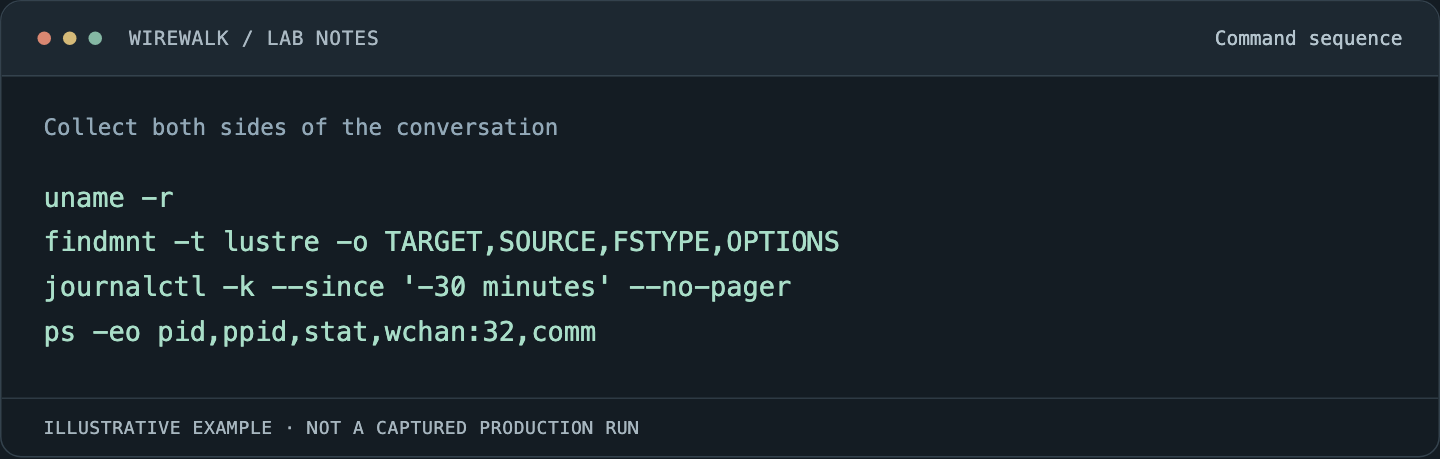
Read and copy the example as text
uname -r
findmnt -t lustre -o TARGET,SOURCE,FSTYPE,OPTIONS
journalctl -k --since '-30 minutes' --no-pager
ps -eo pid,ppid,stat,wchan:32,comm
Permissions and log availability vary. Process names and paths can contain sensitive information, so store evidence in the appropriate private incident location. A public report should use generic roles and remove user data.
Capture network errors and counter deltas over the same interval where possible. A cumulative error total from weeks of operation cannot establish what happened during this eviction.
Understand recovery without assuming its outcome
The Lustre 2.x operations manual describes filesystem recovery and client eviction. Use its model to interpret the target and client events in the installed release rather than treating every reconnect as a full recovery of every operation.
Identify whether the event followed a server restart, a network interruption or a client that could not respond within the required protocol interval. Check what the server reports about recovery progress and which clients are still involved. Avoid generating additional load by repeatedly running expansive filesystem commands during a stressed recovery.
The Lustre resiliency discussion explains why message handling and timeouts can matter. Keep timeout changes behind an identified failure mode and supported vendor guidance. Longer waits can hide a fault and extend application stalls without correcting it.
Inspect the client as a whole system
A client unable to respond promptly may be suffering from CPU starvation, memory pressure, kernel problems or an unstable network. Look for contemporaneous evidence rather than choosing one explanation from the eviction message alone.
Compare the failing client with a qualified peer using the same hardware and workload class. Check kernel, Lustre client and RDMA stack versions where applicable. Differences in the actual running stack matter more than an image label that two nodes happen to share.
Review the workload’s concurrency and metadata behavior. A burst of operations can expose an existing bottleneck, but the application should not be blamed merely because it was busy. Establish which component delayed or failed and whether the behavior is reproducible in a bounded test.
Keep affected jobs out of the automatic success path
Mark the node unavailable to new allocations while its state is uncertain. Preserve the running jobs’ evidence and coordinate with owners before terminating processes or unmounting the filesystem. A process in an uninterruptible wait may not respond immediately to a signal.
Check application logs for errors and incomplete output. A filesystem that is mounted again does not make a partially written checkpoint valid. Use the application’s completion and integrity rules to decide which artifacts can be retained and where the run must restart.
Avoid an unbounded restart loop. If a node repeatedly rejoins and reproduces the same failure, keep it isolated and investigate. Repeated resets can amplify service load and make the original incident harder to reconstruct.
Recover through the supported procedure
Once evidence is preserved, use the recovery steps appropriate to the identified state. That may involve a client remount, reboot or vendor-directed action, but none should be selected solely because it worked on a previous incident with a similar last log line.
Confirm that the planned action does not affect other clients or discard needed local state. Record its start and finish times. Keep a way to recover the node if it fails to return to ordinary management access.
For a managed Lustre service, follow the provider’s documented client lifecycle and support path. Actions available on a self-managed target should not be assumed to exist on the managed service.
Admit the node with a workload-level check
Validate mount access, permissions, a bounded create/write/read/verify/remove cycle in a test directory and a scheduler-launched task as an ordinary user. Then run a representative small application or checkpoint reload that exercises the path involved in the incident.
Watch the relevant logs and interval counters during the test. A successful command with new recovery warnings is not a clean acceptance result. Retain the outcome and the reason the node is considered ready.
The incident record should connect the original symptom, supported cause, recovery action and evidence of usable output. For capacity problems that resemble an outage, see Lustre metadata operations and performance.